A wedding photo QR code that gathers your guests' pictures in one gallery.
Last updated
Your wedding photo QR code brings everyone's favorite moments into one private gallery. Guests scan, choose their photos, and upload. No app or account needed.
Create your free wedding QR code5 photo uploads free · No credit card required
How a wedding photo QR code works
A wedding photo QR code is a small square you print on a sign or card. When a guest points their phone camera at it, it opens your wedding's upload page in their browser. They pick photos from their camera roll, tap upload, and everything lands in one private gallery that you control.
That's the whole trick. There's no app to download and no account to create, so the aunt who "doesn't do apps" can join in just as easily as your college roommate. And you don't spend the month after the wedding chasing photos through group chats. (Want the bigger picture on collecting wedding photos from guests? We wrote that up too.)
Snap the Knot gives every gallery its own QR code and a matching link. Use the code on paper at the venue, and the link anywhere you can paste it: your wedding website, a group text, a thank-you email. Still comparing services? Here's how the best wedding photo sharing apps stack up.
How guests upload photos with your QR code
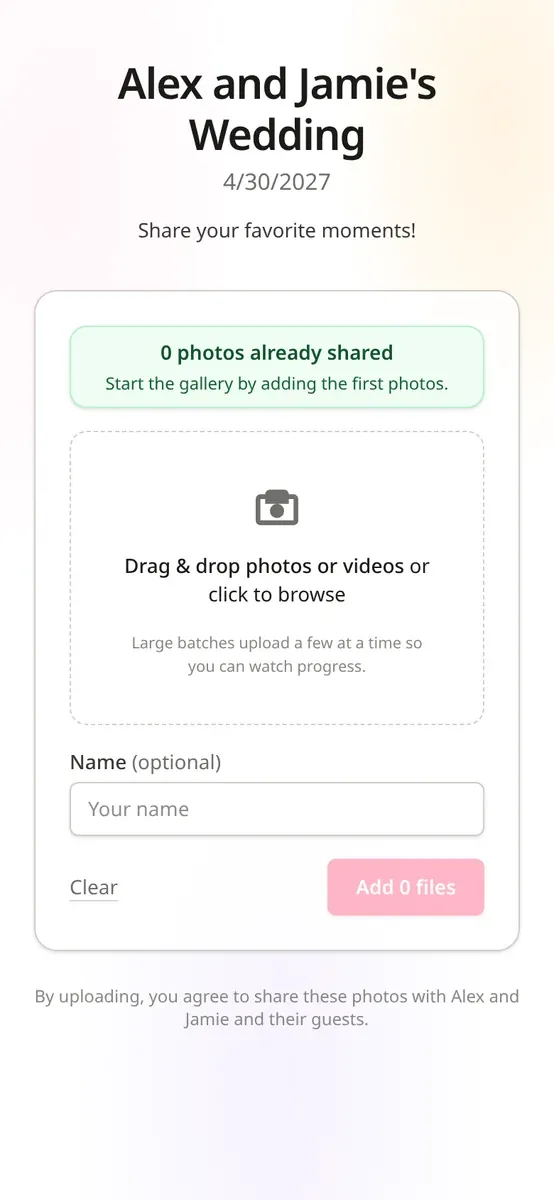
- Your upload page opens. It shows your names and the message you wrote, in the browser they already use. Buttons and instructions can be set to English, French, German or Spanish, and your own message stays exactly as you wrote it.
- They choose what to share. Guests tap to pick photos (and videos, on the $29 plan and up) straight from their camera roll.
- They can add their name. It's optional, but it means you'll know who caught the first kiss from the balcony.
- They tap upload and go back to the party. No password, no email check, no download.
If you've picked a plan with the Live Photo Wall (from $29), new uploads can show up on a screen at the reception, which tends to remind everyone else to join in.
Set up your QR code in five steps
- Create your gallery. Add your names and wedding date. It takes a couple of fields and you're in. You can try it with 5 free photo uploads before choosing a plan, and no card is needed.
- Test it like a guest. Scan the code from a phone that isn't signed in to your account and upload one photo. If that feels easy, your guests will be fine.
- Design your sign. Every gallery comes with a customizable 5×7 sign template. Pick a background, write a headline and message, set an accent color, and choose classic, modern or wedding cursive type in black or white.
- Print or order it. Print the 5×7 yourself, download the QR code for bigger signs and invitations, or add 10 printed QR signs for $15 with free rush printing and tracked shipping on any plan. Unframed. Rush print and handling, then tracked USPS Ground Advantage: about 2–5 business days after dispatch in the contiguous US. Alaska, Hawaii and the territories can take longer.
- Share the link too. Put the same link on your wedding website and in your post-wedding thank-you text, for guests who'd rather tap than scan.
Hosting more than one event? Each gallery has its own QR code and sign design. You can have up to 8 event galleries (engagement party, shower, rehearsal dinner) at no extra charge.
Sign and card examples, and where to put them
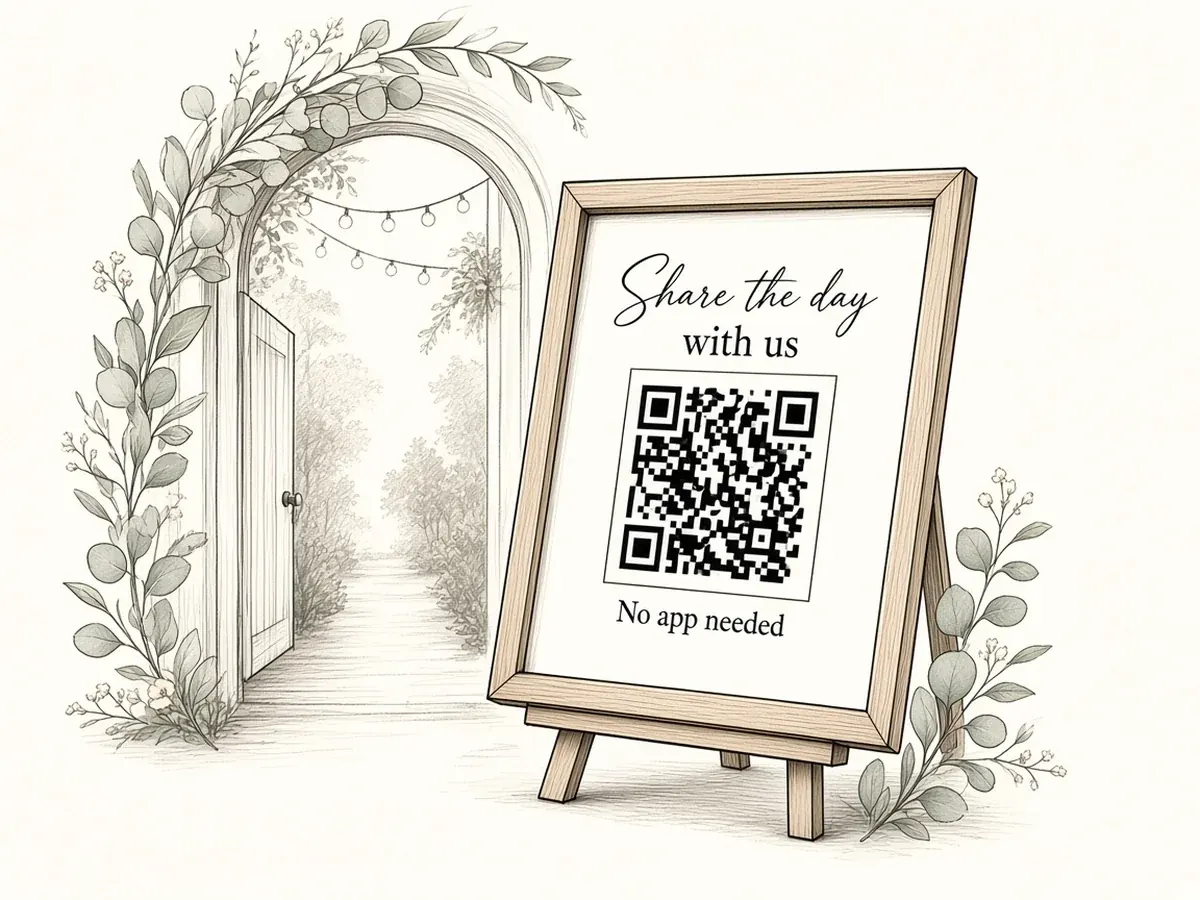
Welcome sign (5×7 in a frame, or larger): "Share the day with us. Scan to add your photos and videos to our wedding gallery. No app needed." Where: on an easel by the entrance or the guest book, at eye level, not tucked behind florals.
Table card (5×7 or smaller): "Snap. Scan. Share." with the QR code at least 2 inches wide. Where: one per table, propped up facing the chairs, not lying flat under a centerpiece.
Bar sign: "While you wait: scan and send us your favorite shot so far." Where: beside the drinks menu. People in line have their phones out anyway.
Photo booth or lounge: "Took something silly? We want it. Scan to upload." Where: on the wall or prop table, inside the frame of the booth.
Send-off card: "Thanks for celebrating with us! Add your photos any time this week." Where: with favors or at the exit, so the code goes home in a pocket.
Placement tips that make a real difference:
- Size and contrast: keep the code large, with a plain light border around it. Don't put it over a busy photo.
- Light: evening receptions get dim. Test scanning in the actual room lighting, or put a small light near the sign.
- More than one spot: a welcome sign plus table cards beats one beautiful sign nobody walks past.
- A friendly nudge: ask your DJ or emcee to mention it once, right after dinner.
For more layouts, see our wedding QR code sign checklist, 5×7 wedding QR code cards, wedding QR code ideas and where to display your wedding photo QR code.
What to put on the sign
Keep it short enough to read in three seconds. A good sign answers three questions:
- What do you want? "Your photos and videos."
- How? "Scan the code. No app needed."
- When? "Tonight, or any time this week."
A complete example: "We'd love to see the day through your eyes. Scan to add your photos and videos to our private wedding gallery. No app, no account."
If you're on the $19 Photos plan, say "photos" rather than "photos and videos" so nobody tries to upload a clip that the plan doesn't include. On the $39 and $59 plans you can add: "Leave us a voice or text message too."
Need more lines? Our wedding photo sharing wording guide has ready-to-copy text for signs, websites and thank-you messages.
Is a wedding photo QR code private?
The QR code opens an upload page, not a public gallery. Here's what that means in practice:
- Not in search results. Snap the Knot's upload pages, shared galleries and live wall pages tell search engines not to list them, and galleries never appear in a public photo feed.
- You decide who sees the photos. Uploads go to your private gallery. If you want family to browse, you can send a read-only link. It uses an unguessable token, and you can turn sharing off at any time to revoke it.
- Originals stay originals. Photos are stored at full resolution, so you can download them in their original quality or send them to one Google Photos album.
- Optional photo checks. Turn on automated moderation and any flagged photo stays hidden from shared galleries and the live wall until you approve it. (Checks cover photos, not videos.)
- We don't sell photos or use them to train AI.
One honest caveat: anyone you send a share link to can view the gallery, and anyone who downloads a photo can keep it. Share the link with people you trust. For the longer version, read are wedding QR photo galleries private?
Plans
You can try everything with 5 free photo uploads and no card. When you're ready, you pay once. There's no subscription.
- Photos, $19: unlimited guest photos, a private QR upload page, full-resolution downloads, a recap video from your photos and priority wedding-day support.
- Photos + Videos, $29: adds unlimited guest videos, the Live Photo Wall and a recap video from your photos and videos.
- Photos, Videos & Voice, $39 (most popular): everything in $29, plus voice and text messages from guests.
- Photos + Videos + Prints, $59: everything in $39, plus 10 printed QR signs, 10 premium 5×7 prints and free U.S. shipping.
Paid access lasts until one year after your wedding date, so buying early doesn't cost you any time. Afterward you can extend for 1 or 3 years, or download everything. Upgrading later costs only the difference. Wedding-day guarantee: if guests upload fewer than 20 photos or videos on your wedding day, contact us and we’ll refund your package in full. Compare plans.
Keep reading
- How wedding photo QR codes work: a step-by-step guide
- Using a wedding photo QR code alongside your photographer
- Printing wedding QR codes at Staples
- A DIY wedding photo booth with a QR code
- Free QR sign maker and photo scavenger hunt cards
- Facebook album vs. a QR code for wedding photos
- The best wedding photo sharing apps, compared
- GuestPix vs WedUploader vs Snap the Knot
- How a private guest photo gallery works
- QR sign maker tool
- Order printed 5×7 QR signs and we’ll ship them
Wedding photo QR code FAQ
How does a wedding photo QR code work?
Guests scan the code with their phone camera and your upload page opens in their browser. They pick photos from their camera roll and upload them to your private gallery.
Do guests need an app or an account?
No. Guests upload from their phone's browser with no app, no account and no sign-in.
Can guests upload videos with the QR code?
Yes, on the $29 Photos + Videos plan and up. The $19 plan is photos only, with unlimited guest photos.
Is the gallery public?
No. The QR code opens an upload page, not a public gallery. Upload pages, shared galleries and live wall pages tell search engines not to list them. You choose who gets a read-only link and can turn sharing off at any time.
Are photos saved at full quality?
Yes. Originals are stored at full resolution, and you can download them or transfer them to a Google Photos album.
How much does it cost?
You can try it with 5 free photo uploads. Paid plans are one-time: $19 Photos, $29 Photos + Videos, $39 Photos, Videos & Voice, or $59 Photos + Videos + Prints.
Where should we put the wedding photo QR code?
Anywhere guests pause with a phone in hand: a welcome sign by the entrance, a card on every table, the bar and the photo booth. A welcome sign plus table cards beats one sign nobody walks past.
How big should the QR code be?
On a table card, keep the code at least 2 inches wide, with a plain light border and no busy photo behind it. Then test it in the room's real lighting before you print a stack.
What if a guest can't scan the QR code?
Every gallery also has a matching link that opens the same upload page. Text it, email it or add it to your wedding website for guests who'd rather tap than scan.
How long does the gallery stay online?
Until one year after your wedding date, not your purchase date. You can extend for 1 or 3 years, or download everything.
Is Snap the Knot part of The Knot?
No. Snap the Knot is an independent wedding photo sharing service and isn't affiliated with The Knot.
More on how to collect wedding photos from guests, or see how the whole wedding photo sharing app works for couples.
See it through your guests' eyes.
Create your gallery, scan your code, and try your first upload.
Create your free wedding QR code